
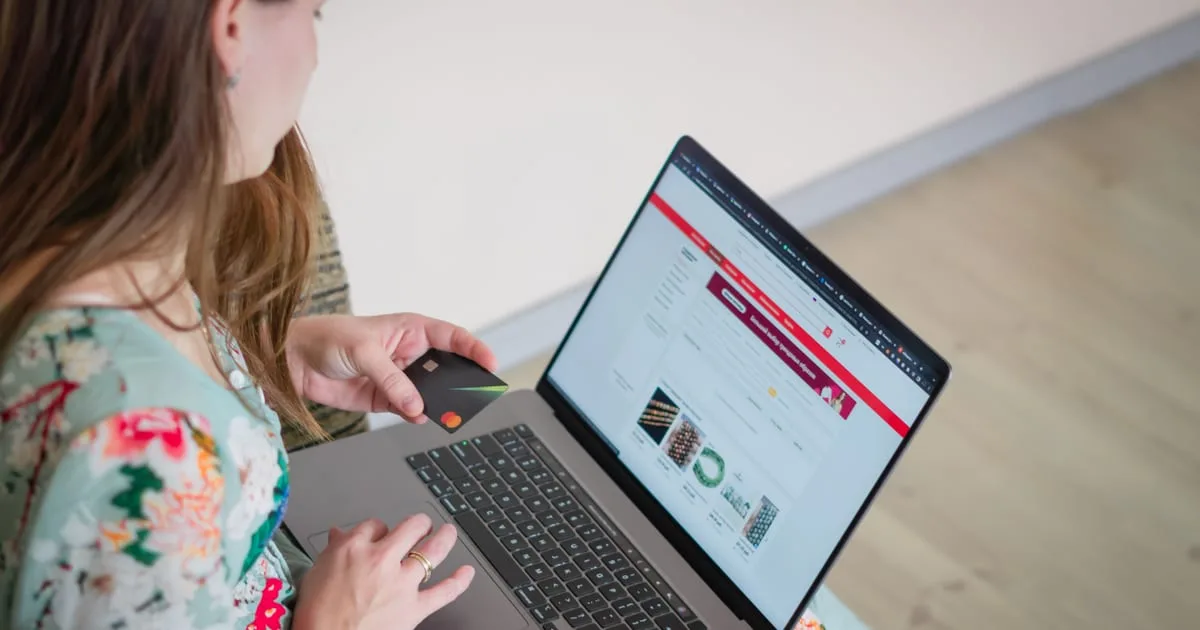
To reduce cart abandonment, remove the surprises and the extra work between the cart and the order button. Show the full cost early and let people buy as guests. Offer the payment methods they already use, keep pages fast and send a reminder within a few hours.
Baymard Institute's average of 50 studies puts the documented cart abandonment rate at 70.22%. Not all of that is yours to win back. In Baymard's survey, 42% of US online shoppers had left a cart while "just browsing" or not ready to buy.
No checkout change will win those shoppers over. The rest of Baymard's list is checkout problems, and fixing them is how you reduce cart abandonment.
On this page
- Why shopping cart abandonment happens at checkout
- How to measure your cart abandonment rate
- Show the full price before the checkout does
- Checkout optimization starts with guest checkout and fewer fields
- Delivery dates, returns and the payment methods shoppers expect
- How to make the payment step look as safe as it is
- How much page speed changes conversions
- Abandoned cart emails that bring shoppers back
- Which fix reduces cart abandonment the most?
Why shopping cart abandonment happens at checkout
Once Baymard set those browsers aside, US shoppers gave these reasons for leaving during checkout. The third column shows where the fix sits.
| Reason for leaving | Shoppers | Where you fix it |
|---|---|---|
| Extra costs too high (shipping, tax, fees) | 40% | Product page and cart |
| Delivery was too slow | 20% | Shipping options |
| Didn't trust the site with card details | 19% | Payment page design |
| The site wanted an account | 18% | Checkout flow |
| Checkout too long or complicated | 17% | Checkout flow |
| Website had errors or crashed | 17% | Testing and hosting |
| Returns policy wasn't good enough | 13% | Policy and checkout copy |
| Couldn't see or work out the total up front | 12% | Product page and cart |
| Credit card was declined | 10% | Payment provider settings |
| Not enough payment methods | 9% | Payment provider settings |
Cost shows up twice, as extra charges at 40% and as an unclear total at 12%. Accounts, long forms and site errors are design problems, and you control all three.
Take a store with 2,000 carts a month, a $60 average order and 600 completed orders. Fifty more finished checkouts a month add $3,000 in revenue, without one extra visitor.
How to measure your cart abandonment rate
Your cart abandonment rate is the share of carts that never become orders. Divide completed orders by carts created, subtract the result from 1 and multiply by 100. A store with 1,000 carts and 280 orders in a month has a rate of 72%.
Reducing cart abandonment starts with that baseline, because without it you can't tell which change worked. The single number also hides where people leave. Google Analytics 4 has a recommended event for each step:
view_cartwhen the shopper opens the cartbegin_checkoutwhen checkout startsadd_shipping_infoonce contact and delivery details go inadd_payment_infoonce card or wallet details go inpurchasewhen the order goes through
With the last four firing, GA4's checkout report shows the abandonment rate between each step and the next.
Start with the step that has the biggest fall. A drop between shipping and payment points to a cost or delivery surprise. A drop after payment details points to declined cards or errors. Check mobile and desktop apart, since a form that works on a laptop can break on a phone.
Show the full price before the checkout does
Extra costs are the top reason you can fix. Shipping, tax or fees drove off 40% of shoppers, and 12% couldn't work out the total up front. To reduce cart abandonment from cost, show the real total early. Then checkout only confirms a number the shopper already knows.
Put a shipping estimate on the product page and in the cart. A ZIP code or country field with the delivery price spares the shopper a surprise after five minutes of typing.
Set a free-shipping threshold you can afford. Say your average order is $45 and shipping costs you $6. A threshold at $55 gives people a reason to add one more item, and the bigger basket pays the postage. Show the gap in the cart with a line such as "Add $8 more for free shipping."
Cross-border orders need duties shown at checkout, or a clear note that the price includes them. A customs bill on the doorstep turns a sale into a complaint.
Drop the small fees too. Shoppers read a $1.50 "handling" charge on the last step as a trick, so fold it into the product price. Adding $7.99 shipping to a $30 skincare set on the payment page is a 27% price rise at the last second.
Checkout optimization starts with guest checkout and fewer fields
A shorter checkout loses fewer people. Baymard's testing shows a checkout can work with 12 to 14 form elements. The average US checkout shows 23.48 by default. In its survey, 17% left over a long or complicated checkout and 18% because the site wanted an account.
Make guest checkout the first and most visible option. Baymard's benchmark found that 47% of sites fail to do this. Shoppers stall at that step, and some who move fast never find it. Use a button rather than a text link, and offer an account after the order goes through, when the only thing left to type is a password.
Then trim the form:
- One full-name field instead of separate first and last names.
- "Address line 2" and "Company" tucked behind a small link.
- Billing address copied from shipping unless the shopper changes it.
- Address autocomplete, which saves the most typing on phones.
- A small "Have a code?" link, since a big empty coupon box sends people off to hunt for one.
Show errors next to the field as they happen, and keep everything the shopper typed. A form that wipes the card number over one badly formatted ZIP code makes the buyer do the work twice. Hide the main menu and pop-ups on checkout pages, but leave the logo, a link back to the cart and your contact details.
How far you can edit the form depends on your platform. It's one of the trade-offs in Shopify vs WooCommerce for a small store.
Delivery dates, returns and the payment methods shoppers expect
Slow delivery cost 20% of shoppers. Show a delivery date, and add an express option for people in a hurry, even if few pick it. A firm date beats a range, so write "Arrives by Thursday" rather than "3 to 7 business days."
Put the returns policy where the doubt is, because 13% left over a weak one. A note such as "Free returns within 30 days" beside the order button settles it before the shopper opens a new tab.
Nine percent left because there weren't enough payment methods. Digital wallets made up 53% of e-commerce spend in 2024, according to Worldpay's Global Payments Report 2025. With a wallet on their phone, a shopper pays with a fingerprint instead of typing 16 digits.
Habits differ by country, so check each market before you add logos. In Brazil, the same report shows bank-to-bank e-commerce spend rising from $3.6 billion in 2020 to $35.3 billion in 2024.
A declined card ended the order for 10%. Ask your payment provider for your decline rate by reason, and check whether your fraud rules block good orders. Show a second way to pay on the error screen, so one failed card doesn't end the sale.
How to make the payment step look as safe as it is
Shoppers judge payment safety by how the page looks. Baymard's research on perceived security found they see some parts of a checkout as safer than others. In fact, every field on an HTTPS page is equally encrypted. The gap costs orders: 19% of shoppers left because they didn't trust the site with their card.
So put the card fields in a box with its own border or background, plus one or two security icons. It works only when no other field shares that style.
A padlock or seal near the card fields helps too. In Baymard's test of eight seals, Norton's earned the most trust. Past that one brand, having a seal mattered more than which one you chose.
Fix small bugs on the payment page. In its usability tests, layout glitches made some users think someone had hacked the site, and some gave up on the purchase.
Let shoppers check who you are, with a phone number, an email address, a street address and reviews from real buyers. A new store with no reviews can still show a clear returns policy and a padlock beside the card form. Neither costs anything.
How much page speed changes conversions
Speed decides how many people reach checkout at all. Google commissioned Deloitte and the agency 55 to study 37 brand sites and more than 30 million user sessions. On retail sites, a 0.1-second gain in mobile site speed lifted conversion rates by 8.4%. It also moved 9.1% more shoppers from the product page to the basket.
Google sets three targets for a good page. The main content should load within 2.5 seconds. A tap should get a response within 200 milliseconds, and the layout shift score should stay at 0.1 or less. Google checks them at the 75th percentile of page loads, so three in four visits must pass, slow phones included.
The details are in what Core Web Vitals measure and how to improve them. These fixes pay off most on a store:
- Compress and resize product images, and serve modern formats such as WebP.
- Remove checkout scripts that don't earn their place, such as old tracking pixels or a chat widget nobody answers.
- Reserve space for anything that loads late, like a shipping price or a banner, so nobody taps the wrong button.
- Testing belongs on a mid-range phone over mobile data, because an office laptop on fiber tells you little about your customers.
A product page that loads in 4 seconds on a phone has 15 of those tenths to cut.
Abandoned cart emails that bring shoppers back
Abandoned cart emails win back part of what the checkout still loses. Klaviyo's abandoned cart benchmarks cover more than 110,000 of its customers. Abandoned cart flows earned the highest average revenue per recipient of any flow type: $6.77 per email recipient, and $13.70 for the top 10% of brands.
A reminder needs an address, so put the email field first in the checkout. You keep it even if the shopper leaves on the next step. Klaviyo describes a common three-message sequence:
| Message | When it goes out | What it does |
|---|---|---|
| Email reminder | 2 to 4 hours after the shopper leaves | Shows the items and a button that reopens the cart |
| Text message | 24 hours | Follows up, in Klaviyo's example with a discount |
| Final message | 48 hours | Suggests other products or asks for feedback |
Use each message to answer the likely objection, such as the delivery date or the returns policy. Be careful with discounts. Klaviyo warns that they can train shoppers to wait for one. Save offers for high-value carts where the margin allows.
Check the consent rules for marketing email and texts in each country you sell to, because they differ. Add a working unsubscribe link and honor it. Recovery also depends on the inbox. Before the flow goes live, check how to keep store emails out of the spam folder.
With 1,000 abandoned carts a month and email addresses for 600 of them, a store would earn about $4,000 a month from the flow. That's 600 recipients at Klaviyo's $6.77 average. If you'd rather not build it yourself, an email marketing team that sets up abandoned cart recovery can do it on your platform.
Which fix reduces cart abandonment the most?
Showing the full price early does the most to reduce cart abandonment on most stores. Cost sits behind two of Baymard's reasons, at 40% and 12%. Guest checkout comes next, since one screen change answers the 18% who balk at accounts.
Email recovery belongs last, even though it takes the least work to switch on. A reminder brings back some of the people a bad checkout pushed out. Meanwhile the checkout keeps pushing out the next ones. Fix the checkout first, then chase the carts.
Test each change before you make the next one:
- Pull 30 days of GA4 checkout data and note the step with the biggest drop.
- Make one fix aimed at that step, such as a shipping estimate in the cart.
- Wait two to four weeks, then compare the drop at that same step.
- Keep the change if the drop shrank, and move on to the next-biggest step.
Bring your numbers from step one if you want help to reduce cart abandonment on your store. Send them to the ecommerce website design and checkout team for an answer within one business day.
Frequently asked questions
A rate below 70.22% is better than Baymard Institute's documented average, which comes from 50 studies and counts shoppers who were only browsing. A more useful benchmark is your own rate, tracked at each checkout step before and after each change you make to reduce cart abandonment.
Divide completed orders by carts created, subtract the result from 1, then multiply by 100. With 500 carts and 150 orders, the rate is 70%. GA4 can show the same drop for each checkout step once the ecommerce events fire.
Yes, on most stores. Extra costs such as shipping, tax and fees were the top reason in Baymard's survey, cited by 40% of shoppers. If you can't absorb shipping on every order, set a free-shipping threshold a little above your average order so bigger baskets cover it.
Yes. In Baymard's survey, 18% of US shoppers left a checkout because the site wanted them to create an account. Show guest checkout as the first button on the account step, and invite people to save a password after the order goes through.
Send the first one two to four hours after the shopper leaves, following a common sequence Klaviyo describes. A text follows at 24 hours and a final message at 48 hours. Keep the first email a plain reminder, and save any discount for high-value carts.